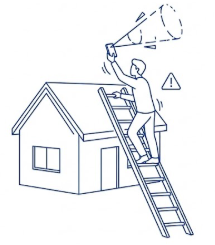
On a mission to predict the optimal LEO terminal location and eliminate installation errors before they happen
Global LEO Satellite Constellations
(Retrieved: January 27, 2026)
"IRIS² represents the European Union's third flagship programme... a multi-orbital constellation of 290 satellite... will leverage the unique advantages of both Medium Earth Orbit (MEO) and Low Earth Orbit (LEO) satellites." — Source: European Commission
"Starlink operates... over 6,750 satellites currently in orbit, serving millions of active customers around the globe." — Source: Starlink.com
"TeraWave adds... 5280 satellites in Low Earth Orbit" — Source: BlueOrigin.com
"Amazon Leo’s initial satellite constellation design includes more than 3,000 satellites." — Source: AboutAmazon.com
"OneWeb LEO... more than 600 satellites" — Source: Eutelsat.com
"Rivada Space Networks ... constellation of 600 low-earth-orbit" — Source: Rivada.com
"Telesat Lightspeed brings enterprise-class LEO satellite services" — Source: Telesat.com
Live View
(Retrieved: January 27, 2026)
The sky is getting complex — you can view the live density of global LEO constellations in real-time at SatelliteMap.space (clovellysoftware.com.au). To see how this affects your specific area, set your location: click the "House" icon in the bottom left corner. The map will zoom to your specific location and visualize all satellites currently within your coverage range.
Another great tool — starlink.sx (Mike Puchol). In this case, double-click anywhere on the map to set your location as the "Home" station.
Starlink Availability Map
(Retrieved: January 27, 2026)
Starlink availability maps showing download speeds in Mbps https://starlink.com/map?view=download
"Metrics represent the 20th to 80th percentile of real user data. Land metrics from the 'Residential' plan, during peak local hours... Metrics are not guaranteed; vary by geography, time of day, Wi-Fi performance, etc." — Source: Starlink.com
Actual performance is heavily influenced by your specific installation environment
LEO satellites are constantly moving across the sky at high speeds and terminal doesn't just look at one point—it has to "hand off" the signal from one satellite to the next as they fly by. To maintain a stable, high-speed connection, a LEO terminal typically requires a clear "cone" of visibility (often around 100 degrees of unobstructed sky).
A single gap in the trees might let you see one satellite for a few seconds, but as that satellite moves, your connection will drop if the rest of the cone is blocked. If your terminal loses sight of a satellite before the next one enters its field of view — "micro-dropouts" happens, the enemy of video calls and gaming.
"Set up Starlink with a clear view of sky." — Source: Starlink.com, video regarding obstructions (Retrieved: January 27, 2026).
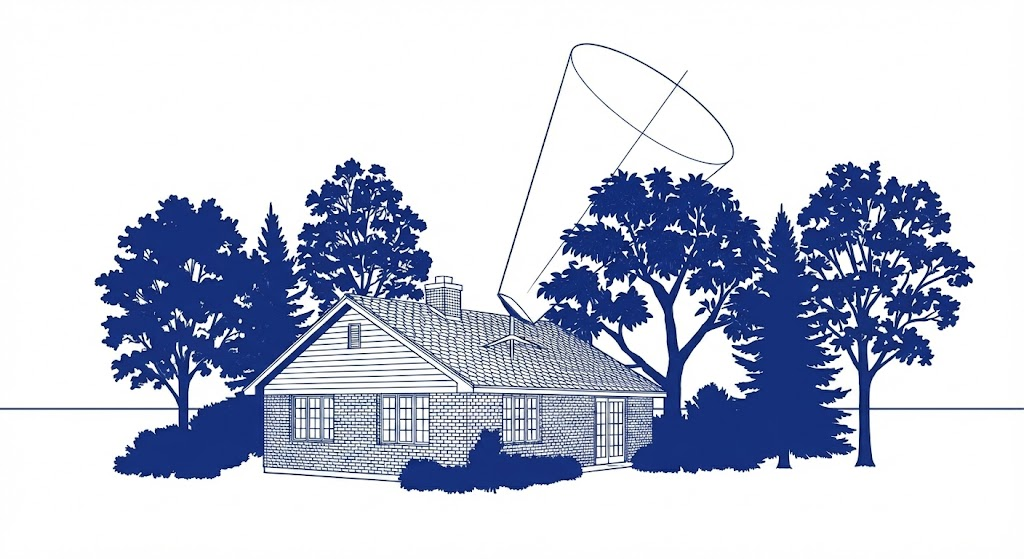
The Standard Approach: Manual On-Site Scanning
(Retrieved: January 27, 2026)
To verify a location, the Startlink official OEM guidelines recommend a manual, physical check using a mobile device using their app:
- "Go to the location where you'd like to set up Starlink.
- In the Starlink app (iOS, Android), select “Check for Obstructions”
- Follow the guided experience to scan Starlink's field of view using the camera and estimate how obstructed your chosen location is. The phone should be held as close as possible to the height and perspective of Starlink.
- Repeat as needed in multiple locations."
— Source: Starlink.com